
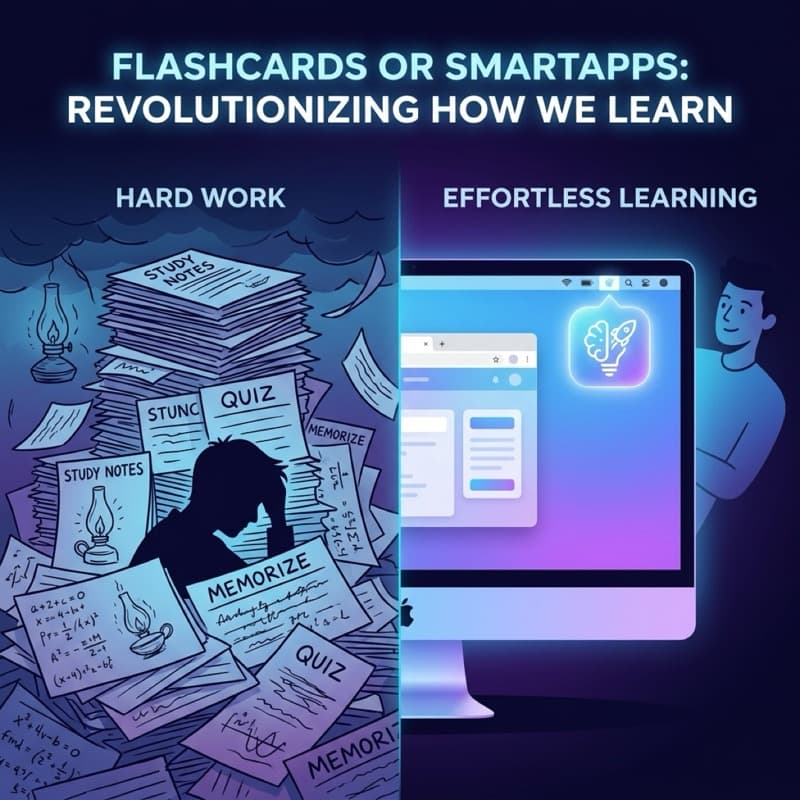
Hi, I'm Daniel. Today, we're going to tackle one of the biggest debates in the language learning community: Is Anki really the only option, or do you need a tool better suited for a busy life?
Anki is a "legend" in the vocabulary learning world. But here is the truth: Millions of people have downloaded Anki, and the vast majority of them quit after just 2 weeks.
Why does this happen? And is Wordrop — an app born out of the exact pain point of "having no time to study" — a worthy alternative?
This article provides an objective perspective, based on both the science of Spaced Repetition and the real-world experiences of busy professionals.
Quick Comparison: Wordrop vs Anki
Here is a high-level comparison table to help you make a quick decision in 30 seconds:
| Feature | Anki | Wordrop |
|---|---|---|
| Learning Model | Active (Requires opening the app, dedicating time) | Passive / Integrated (Learn right on the Mac Menu bar) |
| Learning Curve | Very steep (Hard to get used to) | Extremely easy (1-minute setup) |
| Platforms | Multi-platform (Windows, Mac, iOS, Android) | Exclusively optimized for macOS |
| Customization | Infinite (HTML, CSS, Add-ons) | Basic, focused on minimalism |
| Ideal User | Medical students, intensive language learners | Developers, busy Mac users, professionals |
| Pricing | Free (Desktop), $25 (iOS) | Free tier available / Premium lifetime unlock |
What is Anki? (Pros and Cons)
Anki is an open-source flashcard software that uses the Spaced Repetition algorithm to help you remember anything. Anki's algorithm (SM-2) calculates exactly when you're about to forget a vocabulary word and prompts you to review it right at that moment.
Pros of Anki
* Completely free on desktop: You get all the most powerful features without spending a dime (except for the iOS version). * Infinite customization: If you know how to code, you can turn Anki into almost anything. There are thousands of free Add-ons developed by the community. * Massive deck ecosystem: You can download thousands of pre-made flashcard decks created by other users.Cons of Anki (Why do so many people quit?)
* Outdated and complex interface: Anki looks like software from 2005. Figuring out how to set it up, import cards, and tweak the algorithm takes a lot of time. * Requires iron discipline: You have to "remember" to open the Anki app every single day. If you miss a few days, your review backlog piles up into a mountain, causing overwhelm and burnout.What is Wordrop? (Pros and Cons)
Wordrop is a Spaced Repetition vocabulary app designed specifically for macOS. Instead of forcing you to open a separate app and spend 30 minutes a day studying, Wordrop integrates directly into your workflow via the Mac Menu bar.
Pros of Wordrop
* Learn without opening an app: Short review sessions (micro-quizzes) subtly appear on your Mac screen while you work (e.g., when you're waiting for a file to download, or reading documentation). * 1-minute setup: No need to read a manual. You just drop your vocabulary in, and Wordrop automatically handles the spaced repetition algorithm. * Zero discipline required: Because the app automatically brings vocabulary to you while you're on your Mac, you'll maintain your learning habit without even trying to remember.Cons of Wordrop
* macOS only: Currently, if Windows is your main operating system, you cannot use Wordrop. * Less deep customization: Wordrop is optimized for simplicity, so you won't be able to write custom HTML/CSS for each flashcard like you can on Anki.Which App is Right for You?
The truth is there is no absolute "best" app, only the app that best fits your lifestyle.
You should choose Anki if:
You should choose Wordrop if:
> Summary: If Anki is a professional gym that requires you to show up every day, then Wordrop is like a set of light workout gear permanently placed at your desk.
Frequently Asked Questions (FAQ)
1. Does Wordrop use the same Spaced Repetition algorithm as Anki?
Yes. Both Wordrop and Anki are built on the scientific principles of Spaced Repetition. Wordrop optimizes this algorithm specifically for micro-learning sessions during your workday.
2. Can I transfer my vocabulary from Anki to Wordrop?
Yes. Wordrop supports an Import feature that allows you to easily migrate your existing Anki decks (as CSV files) in just a few clicks.
3. Will Wordrop distract me when I'm in a meeting or coding?
No. Wordrop is designed to respect your focus. You can configure the app to only show review popups when your computer is idle, or pause it completely using Focus Mode.
Is there any other criteria you'd like to see compared between these two apps? Give both a try and find the perfect match for your English learning journey!